It’s been a while since I created a template in Resharper. I wanted to create one yesterday, and it took me longer than I thought it would, so I figured I should write a post I can refer back to. I probably got spoiled by how awesome CodeRush is when it comes to creating templates and was expecting similar experience in R#. Anyway…
The template I want to create is one where I type todo to expand the template, and then I can type whatever comment I want to attach to my todo:

Here’s how we do that. Go to Resharper -> Tools -> Template Explorer…
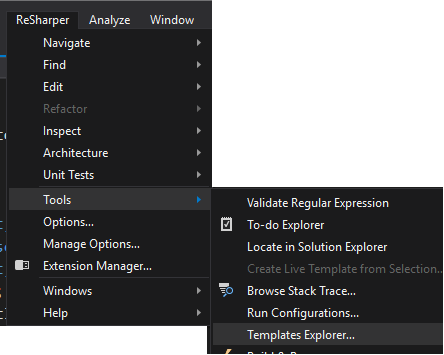
Select C# and new on the New Template button:

Type in the template:

For shortcut, I typed todo.
Notice I’ve included $date$. Anything within $ indicates we want to create a parameter. On the righthand side we can select from a list of macros that get evaluated for the parameter:

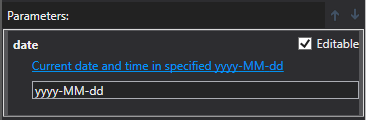
I’ve picked “Current date…” and set the specific format I want (yyyy-MM-dd):
Now when I type todo in the code editor…

I get the result I want and can type in whatever else…





Leave a Reply