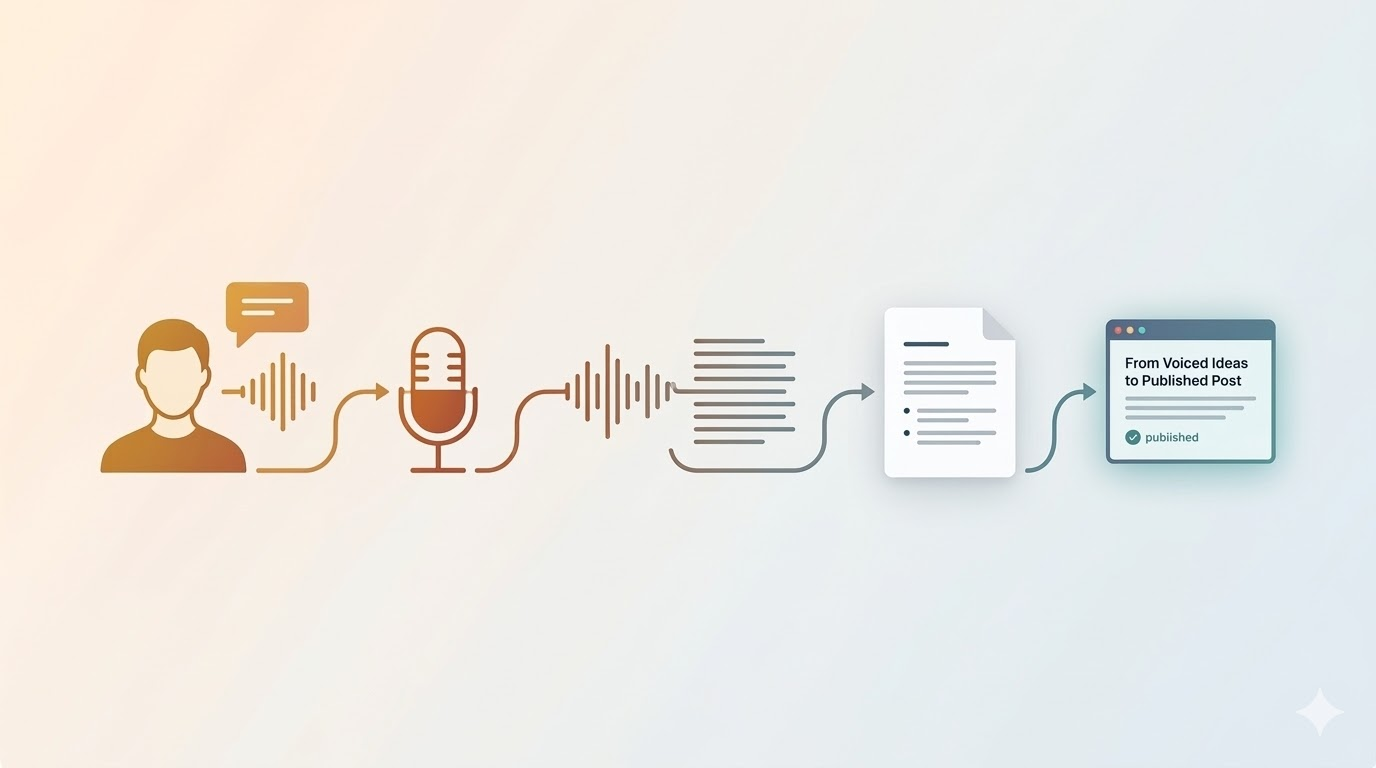
An Improver asked me recently to walk them through my blogging process. Not the philosophy behind it, but the actual mechanics, step by step. So I did, live, while creating a real post that was scheduled to go out the next day. This is that walkthrough.
It Starts with a Question
A lot of my blog posts begin the same way: someone asks me a question. Then a week later, someone else asks me the same question. That pattern is a signal. If people are coming to me for that answer, it’s worth writing up. Chances are, it’ll help someone else down the road, too.
That’s been the engine behind most of my writing for about 25 years now. That, and me asking, “Why do we do this again?”
Capturing Ideas While Driving
I keep a running backlog of things I want to write about. Some of it lives in a reminder app, and I capture new ideas throughout the day. On the way to the office, I’ll pull up that list and pick something I want to develop. (I wrote more about the drive to keep creating and sharing in a recent post.)
While driving, I’m not opening a chat window and having a conversation with an AI. I tried that. It doesn’t work. If somebody cuts me off on the highway, I don’t need my AI assistant weighing in on my language choices. What I want is to be the only one talking, getting my thoughts out without interruption.
So I use a simple recorder app on my phone. No AI, no interactive features, just a clean recording I can trim, join, or AirDrop later. I originally got it to capture guitar ideas. It’s done a lot more since then. I wrote about my voice journaling workflow in more detail if you want the full picture.
AirDrop and Transcription
When I get to the office, I AirDrop the audio file to my Mac. From there, an automation takes over. A folder watcher triggers MacWhisper, which transcribes the audio using a local model. Within a minute or two, I have a markdown file with everything I said on the drive. I covered the AirDrop + folder action setup in its own post.
I could drop that audio into ChatGPT or Gemini and ask for a transcription. The point is the same: get the words. I want to work with text.
Into Obsidian, Then Windsurf
The transcription lands in my Obsidian vault. That’s my working environment for writing. I don’t open the whole vault in Windsurf; I add specific folders to the workspace: my previous posts, my journaling, and the voice journal folder where the new file just arrived. Windsurf sees what I want it to see.
From there, I run my draft-blog-post workflow. That workflow is just a markdown file with instructions, the same as a custom prompt in any other AI tool. The difference is that I built those instructions by feeding the AI years of my own blog posts and asking it to analyze my tone, my vocabulary, and how I structure ideas. It wrote back a description of how I write. I kept refining that description over time, flagging words I’d never use, correcting patterns that felt off.
Now, months in, the first draft comes back sounding much closer to the way I’d write it myself if I sat down and typed everything from scratch.
The workflow is also chained to two others: one that assigns a category, and one that suggests tags, both based on a taxonomy I developed with AI by reviewing my entire archive. Here’s that cleanup project.
Refining in Obsidian
Once the draft is in Obsidian, I read through it with Grammarly active. I’m not looking to accept every suggestion automatically. I’m reading for anything that doesn’t sound like me: a word I’d never say, a sentence structure that feels formal in a way I’m not, an idea that got inflated beyond what I actually meant.
When I find things like that, I go back to Windsurf. If there are a few specific issues, I explain what’s wrong and why, and ask them to fix them. If I’ve gone in and made manual edits, I’ll say: “I’ve made some changes. Analyze what I changed and ask me questions.” It notices patterns in my edits. I answer the questions. Then I ask it to update the workflow so it doesn’t do those things anymore.
That feedback loop is how the workflow keeps improving. Every post is also a small training pass on how I write.
One Principle Underneath All of This
I never ask the AI to write about something I haven’t already thought about. The prompt is never “write me a post about X.” It’s always: here are my thoughts, my words, my actual take on this thing. Draft a post from that. Don’t go invent content.
That distinction matters. The AI isn’t writing my blog. It’s helping me shape what I already said into something shareable.
Getting It Out the Door
Once the content is where I want it, I have a script (built with AI) that uploads the draft to WordPress: title, category, tags, body, all set. I have another workflow that writes an image prompt for the featured image following a visual style I defined. I generate the image, drop it in Obsidian to link the attachment, and set it as the featured image in WordPress.
Then, once it’s published and I have the URL, one more workflow: write social posts for LinkedIn, Facebook, and Bluesky. Short blurb, link, done.
The whole thing, from audio file to scheduled post, takes about 15 to 20 minutes. More if I want multiple custom images or if I want to ponder the topic further. But that’s the range.
Start with What You Have
When I share this process, people sometimes say, “That’s easy for you, you have 20 years of posts to train on.”
Sure. And I started with zero. Not long ago, I challenged myself to post every day for thirty days just to build the habit and see what I’d learn. Start where you are.
Whatever you’ve written, whatever you’ve documented, that’s your starting point. Feed it to the model. Ask it to describe how you write. Start refining from there. The more you use it, the more it sounds like you.
The same goes for the pain you’ve been through. The problems that were hard, the things that took three days and turned out to be a semicolon. Write those down before you forget them. Before you start saying, “That’s just how I’ve always done it.” Because you didn’t always know. And someone else is in that place right now, and your experience is worth something to them.




Leave a Reply