
Move from “just build a CRUD screen” to rapid, human‑centered prototypes, and into production, with AI as a power tool.
Top 3 Takeaways
- Ditch CRUD thinking; design for tasks. When stakeholders say “it’s just a CRUD,” dig for the actual scenarios and shape the UI around what people are trying to do in specific moments.
- Use AI to shorten the path from words → stories → prototype. Record the problem in natural language, generate user stories and Gherkin scenarios (Given-When-Then), and turn that into a clickable prototype you can critique the same day.
- Keep humans in the loop and be transparent. The value isn’t screens; it’s facilitation, empathy, and judgment. Show your process, record meetings, and translate prototypes into your standards with guardrails.
Why I’m Writing This
I’ve been getting a lot of questions lately about how I use AI to move from a fuzzy problem to a testable, task‑oriented UI—especially when there isn’t a dedicated UX designer on the team. This post is my detailed answer. The core idea: worry less about tools, more about a repeatable process that keeps humans at the center and uses AI to reduce friction.
Why CRUD Fails People
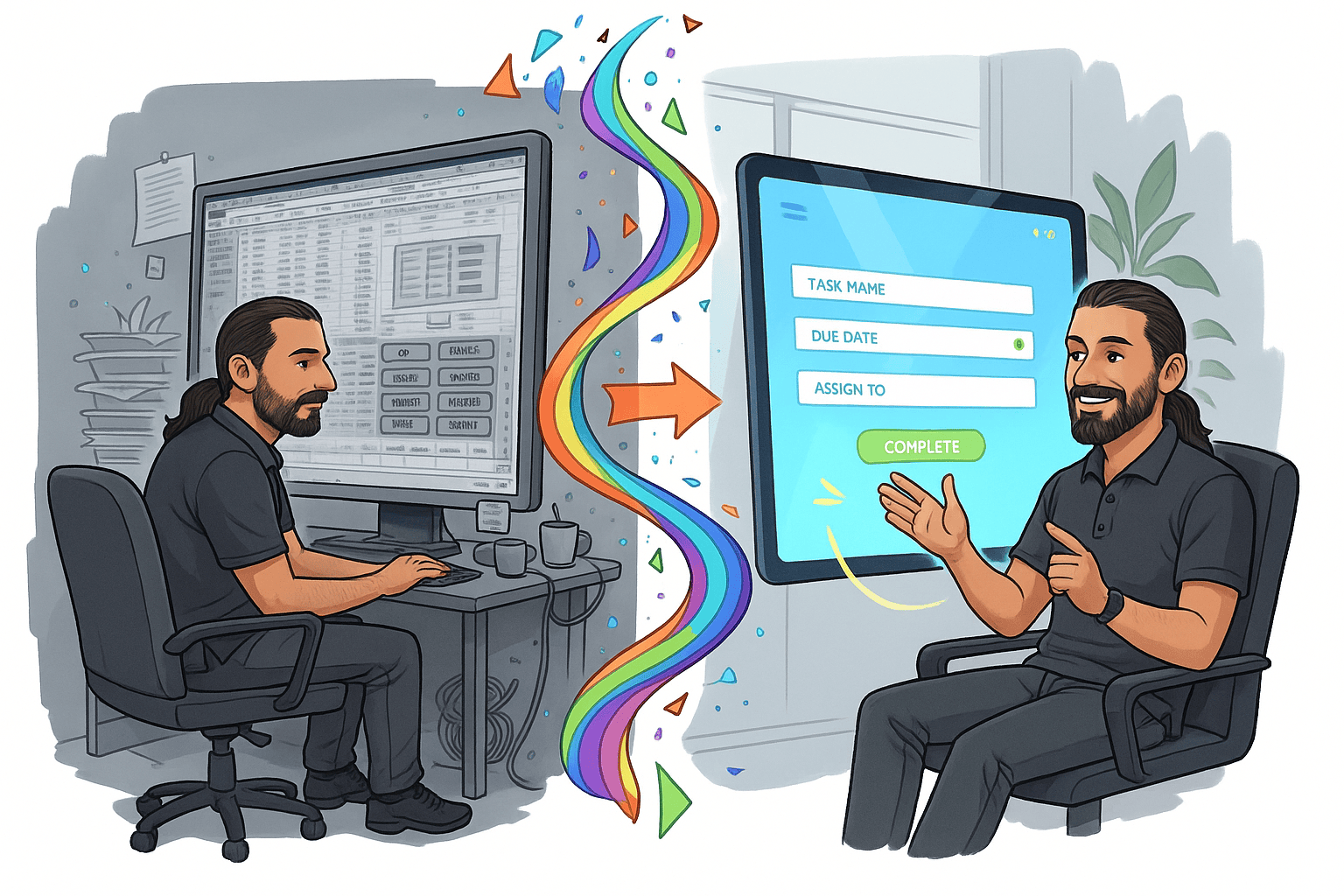
Stakeholders often ask for “just a CRUD screen.” But the moment a single checkbox drives branching behavior, we’re no longer talking about generic create/read/update/delete—we’re talking about workflows.
Example: inventory adjustments. In a legacy, grid‑heavy system, warehouse staff were expected to “fix the number” in a cell. In reality, they needed to:
- Decrease a lot by a known amount (a forklift damaged 18 boxes),
- Increase by a found amount (someone discovered two boxes under a table), or
- Set the count to a specific observed value (“I see five boxes left”).
Designing a tiny, task‑focused form with four controls solved the real job better than a thousand‑cell grid. It simplified validation, made automated tests straightforward, and—most importantly—fit the way people actually work.

Words → Stories → Prototype (Same Day)
The fastest path we’ve found:
- Capture the problem in natural language. Jot a quick summary or record a short voice note in plain words.
- Generate user stories with acceptance criteria. Feed that summary to an LLM configured with your story‑writing philosophy (human value, cinematic style, Gherkin scenarios, no UI prescriptions like “click a button”).
- Prototype from the stories. Drop those stories into an AI tool to get a working React or Angular prototype. Immediately critique it with stakeholders: “Too dark,” “Make this readable,” “Add examples,” etc., and iterate quickly.
In minutes, you’re looking at a screen people can react to. That’s invaluable for visual thinkers and for cross‑functional teams who struggle to align on words alone.
From Prototype to Production (With Guardrails)
We don’t paste AI code straight into production. Instead, we:
- Review the prototype with stakeholders. Keep what worked; drop what didn’t.
- Download the source for reference. Treat it as a specimen, not gospel.
- Translate it with our standards. Use a dev‑focused AI (e.g., Cursor) in the real codebase, with knowledge of our components, APIs, and tests, to re‑implement within our architecture.
This maintains high velocity while preserving consistency and quality.
Transparency Builds Trust
Be explicit about your tools and approach. Share how AI supports each step, where guardrails live (architecture, component standards, tests), and how decisions are made. That openness builds confidence and accelerates adoption.
Human Judgment Is the Differentiator
AI can draft stories and generate screens, but it can’t read the room. It doesn’t notice the sigh when someone says, “finding the right category in a long dropdown list is a slog.” It can’t prioritize ethics, empathy, or trade‑offs in a messy context. Facilitating the conversation, asking better questions, and noticing body language—that’s still the work.
Tool‑Agnostic by Design
We tested the same prompt across tools (AI Studio, ChatGPT Canvas, Cursor). One failed, one got close, one nailed it. That’s why we marry the approach, not the tool. Different tools excel at various stages; be prepared to switch.
A Reusable Pattern You Can Steal
Input: a real problem, spoken in natural language
Process:
- Capture the problem in plain language (a quick note or voice memo).
- Summarize the problem in first‑person “as a user persona…” terms.
- Generate user stories & GWT using your house style (focus on human intent, not UI mechanics).
- Prototype from stories and critique it live with stakeholders.
- Capture decisions and constraints; take screenshots when design issues appear.
- Translate into the codebase with your component standards and tests.
- Auto‑generate focused tests (e.g., Cypress) based on the stories and the actual implementation.
Output: a production‑ready feature that started as a conversation and stayed human‑centered all the way through.
Closing Thought
If you continue shipping “CRUD screens,” you’ll continue to inherit complexity you don’t need. Start with the moment a human is in—what they can see, count, and decide. Use AI to remove friction between their words and a screen you can try today. Then bring your standards—and your judgment—to turn that into software worth using.

Leave a Reply