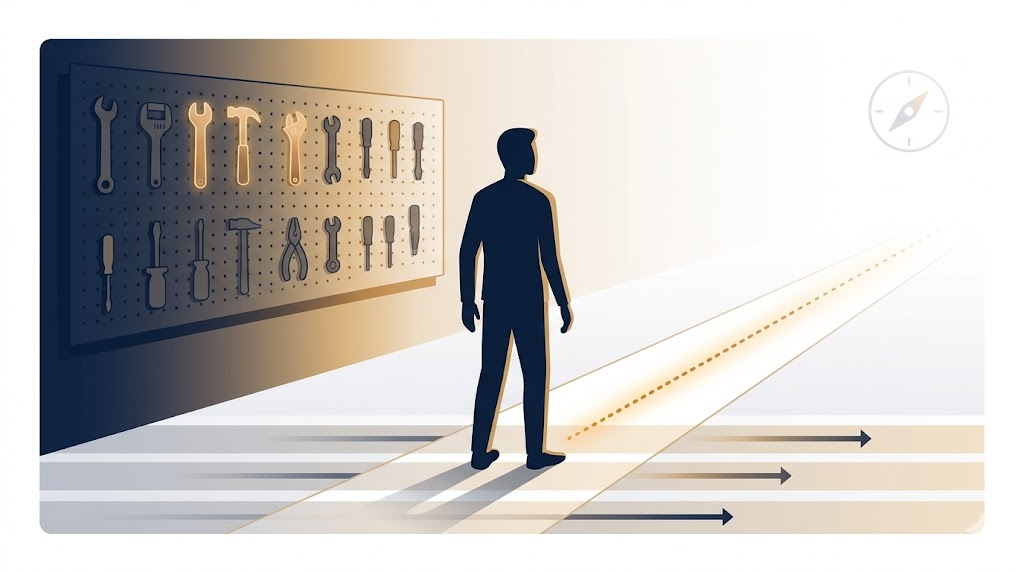
I don’t chase tools. I chase outcomes.
That’s been my approach for years: start with the system and the process, then figure out which tools fit. The tools are in service of the work, not the other way around. I went through this with personal knowledge management, cycling through Evernote for years before migrating to Obsidian when the direction of each tool no longer matched where my workflow was headed.
AI tools are no different. The landscape is changing faster than anyone can keep up with, so I don’t try to keep up with everything. I pick something with a purpose, evaluate whether it helps me do something I couldn’t do before, or do something meaningfully faster or better than I could before, and I work from there. Even if I’m only using the tip of the iceberg, that’s fine. That’s the starting point.
From Cursor to Windsurf
My path through coding-focused AI tools went from ChatGPT to JetBrains AI to Cursor. I stayed with Cursor for the better part of eight or nine months. It was doing more for me than anything I’d used before.
Then I started hearing about other tools. GitHub Copilot never appealed to me based on what I’d heard. Claude, I was curious about. Windsurf came along around October or November of last year as an available option to try, and because I’d already been building workflows and agents as markdown files, porting things over was straightforward. Windsurf had workflows and skills as first-class concepts, and those fit naturally into how I was already working.
For a while, I ran both Cursor and Windsurf in parallel. Each had features the other lacked, and they kept leapfrogging. Eventually, I settled on Windsurf as my primary environment.
What Made Claude Code Interesting
A few months ago, I got the chance to experiment with Claude Cowork. What caught my attention wasn’t just the software development use case. I’d been using Cursor and Windsurf for things well outside of software: processing journal entries, automating blogging workflows, generating documentation. When I saw people using Claude Cowork for that kind of general-purpose orchestration, it immediately resonated with me.
What I really liked was the skill-creation flow. Cowork could turn a conversation into a reusable skill, complete with a grader to test different variations. It would show me results, let me say which I liked and why, use that feedback to refine the skill, and register it once I approve it. That feedback loop was genuinely well-designed.
I also noticed that Cowork could handle things I’d previously had to bounce between tools to accomplish. I would process something in Cursor or Windsurf, then take the artifacts to ChatGPT or Gemini to render an HTML prototype using their Canvas feature. Cowork collapsed that into one environment. That was useful.
Making the Call
The Claude Desktop app with the Code integration showed real promise. But it wasn’t a drop-in replacement for my current setup, and it wasn’t something I could run in parallel without reworking how my projects are structured. I don’t have time for that right now.
So I made a deliberate choice: stick with Windsurf, let go of Claude Code, and look for what I valued in Cowork to eventually show up in the tools I’m already using. That’s a reasonable bet. Tools that compete tend to converge on features that matter.
Devin and the Sub-Agent Layer
The thing I was actually looking for from Claude Code, the piece that made me want to explore it in the first place, was sub-agents and hooks. The ability to orchestrate multiple agents doing parallel work, handing off to each other, felt like where this kind of tooling needs to go.
I got there through a different path. A few weeks ago, some Improvers mentioned Devin CLI. I looked it up, installed it, and tried it. It fit.
The workflow I’ve settled into: use Cascade in Windsurf to develop the plan and have the back-and-forth. When the plan is ready, I click the Implement button and choose whether to run in Cascade, Devin Cloud, or Devin Local. Watching sub-agents run in parallel is satisfying. The orchestration is working.
There are rough edges. My Windsurf workspace spans multiple repositories across different locations on the filesystem. When I triggered Devin from that context, the working directory didn’t resolve correctly, and some tool calls failed. That’s a solvable problem, and I’ll revisit it. For now, running Devin from the integrated terminal handles the cases I care about.
Orchestration Beyond Code
The more interesting direction, for me, is using this same orchestration model outside of software development.
One experiment: I have information spread across different folders on my filesystem. I’m building an orchestration where each sub-agent processes one folder, summarizes its contents, and the coordinating agent consolidates everything into a final synthesis. Still early, but the results are promising.
Much of this exploration happens during pairing sessions with colleagues. We record them so we have the conversation on tape: what we were trying to do, what we expected, what we found. That record becomes the reference for the next iteration.
The shift isn’t about finding the perfect tool. It’s about building the orchestration layer that connects my tools. The tools will keep changing. The patterns I’m building for how they hand off to each other, that’s what carries forward.
What’s your current approach to evaluating new AI tools? Do you stick with one environment or mix and match based on the task?



Leave a Reply