I have a special dislike for walls of characters in code and I try to get rid of it whenever possible, as I mentioned in this other post. The keyword private in C# is another one that bugs me. Take the following code:

What do I see there?
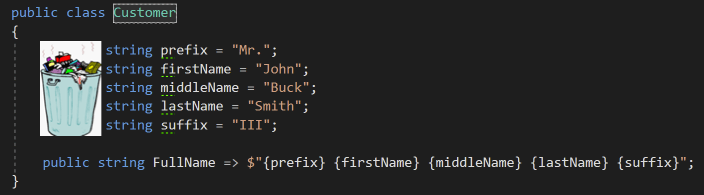
I like this way better:

Every class member is private by default in C#, as it should be. We should always keep public members to a minimum, so I rather be explicit as to what’s NOT private in my classes. By removing the unnecessary private modifier keyword, I clean up my code. The less garbage there is around the code, the easiest it is for anybody to read and understand it.
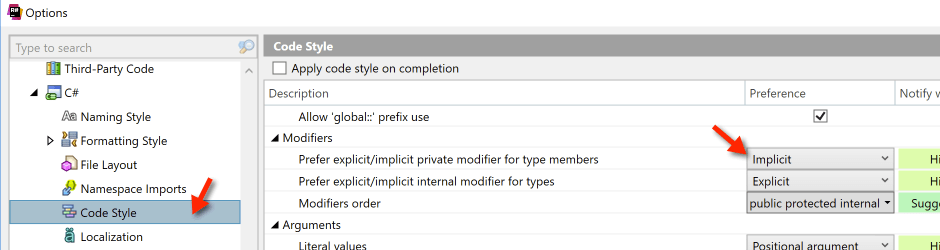
For ReSharper users out there: you can set the tool so that it’ll remove “private” modifiers when you run Code Cleanup.




Leave a Reply