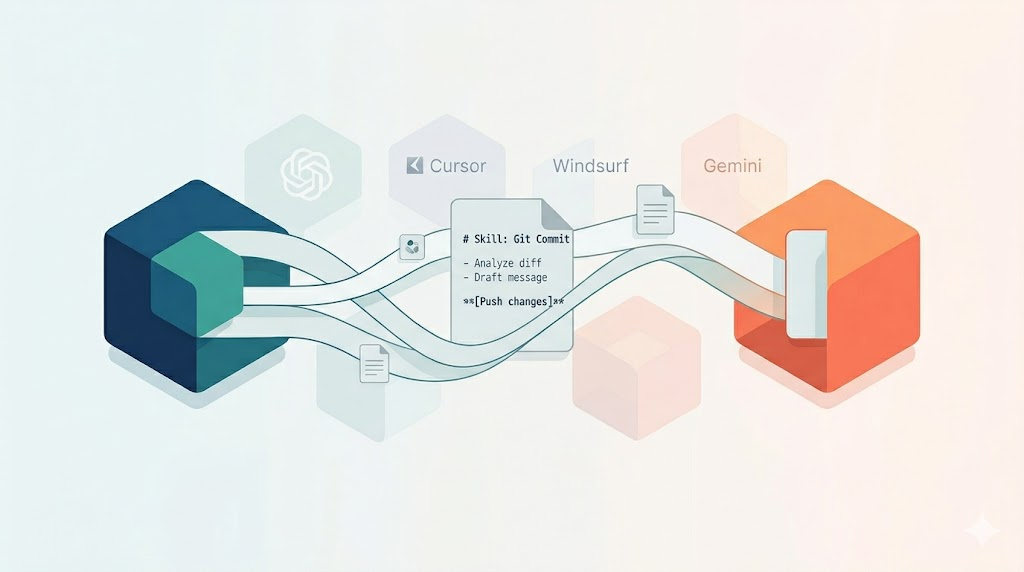
I had a skill I’d created in Claude Cowork that I wanted to bring over to Windsurf.
That’s something I’ve been doing more and more. Not just using AI tools, but using one AI to help me work with another AI. It’s meta-level tool orchestration, and it’s becoming part of how I think about getting work done. I’ve moved things from ChatGPT to Cursor, from Cursor to Windsurf, from Windsurf to Gemini, and back to Windsurf. That’s because I don’t focus on the tool; I focus on what I’m using it for.
When One AI Helps You Use Another
Here’s what I’ve been doing the last few days. I have skills I created in Claude Cowork. Some of them are useful, but when I look at the usage costs, I realize I can’t keep running everything there. So I open Cowork and tell it: “Take my XYZ skill and help me port that over to Windsurf.”
Then I watch it do all the work. It creates the markdown files, figures out where they should go, and sets up the structure. I’m literally telling one AI to help me do things with another one.
The Markdown Advantage
The reason this works at all is that skills are just markdown. They’re not locked into some proprietary format. They’re text files with a specific structure. The tool can bring it over. Adapt it. Maybe turn it into a workflow instead. The format doesn’t get in the way.
This is one of those things that seems obvious in retrospect, but it took actually doing it to appreciate. We’re not locked into vendor-specific formats. We’re working with text.
Time-Boxing the Experiment
When it comes to creating new workflows or skills, I have an approach. Set a time box. Maybe four Pomodoros, roughly two hours. Plan what I’m going to do in each session. When I hit the last session, I’m not diving into new rabbit holes. I’m wrapping up. I’m documenting what I learned and what questions are still open.
This discipline keeps me from the “just another five minutes” trap. It forces me to capture my thinking before I move on.
For something like porting skills between AI tools, this matters. I could spend hours tweaking and optimizing. Or I could spend two hours making meaningful progress, document it, and come back later if needed.
The time box isn’t about limiting the work. It’s about making the work sustainable.
What This Actually Demonstrates
When I step back and look at what’s happening here, it’s not just about moving files around. It’s about sophisticated tool orchestration.
I’m using Claude to help me structure work for Windsurf. I’m using Windsurf to process my Obsidian notes. I’m using Kimi for file organization because it’s free, so I don’t need to pay for Claude’s higher-tier models for that kind of work.
Each tool has strengths. Each tool has a place in the workflow. The trick is knowing which one to use when, and being comfortable moving between them.
This is what I mean by meta-level AI usage. It’s not just “use AI to write code” or “use AI to summarize text.” It’s “use AI to help me work more effectively with other AI tools.”
The Inexpensive Learning Loop
What makes this sustainable is treating each experiment as a learning opportunity rather than a final solution. That experience of losing some benefits when replacing earlier work? That’s the kind of lesson that costs only a few tokens and a bit of time but teaches something valuable.
I’ve had plenty of those moments. The AI does something stupid. It doesn’t wait for my answer, even though I told it to ask me first. It puts files in the wrong directory.
Each time, I learn something. I adjust my prompts. I add a step to my workflow. I remember to be specific a about which model I’m using.
These aren’t failures. They’re the cost of figuring out how these tools actually work in practice.
Where This Goes Next
I don’t know where this pattern leads. Right now, I’m porting skills from Claude Cowork to Windsurf because of cost and licensing considerations. I’m using markdown as the common format. I’m time-boxing my experiments and documenting my progress.
But the broader pattern is about treating AI tools as composable pieces. Not picking one and going all-in. Not trying to do everything in a single environment. Instead, using each tool where it makes sense and building workflows that span across them.
That feels like the more interesting skill to develop. Not mastery of a single AI tool, but fluency in orchestrating multiple tools together.
What are you learning about moving work between AI platforms?


Leave a Reply