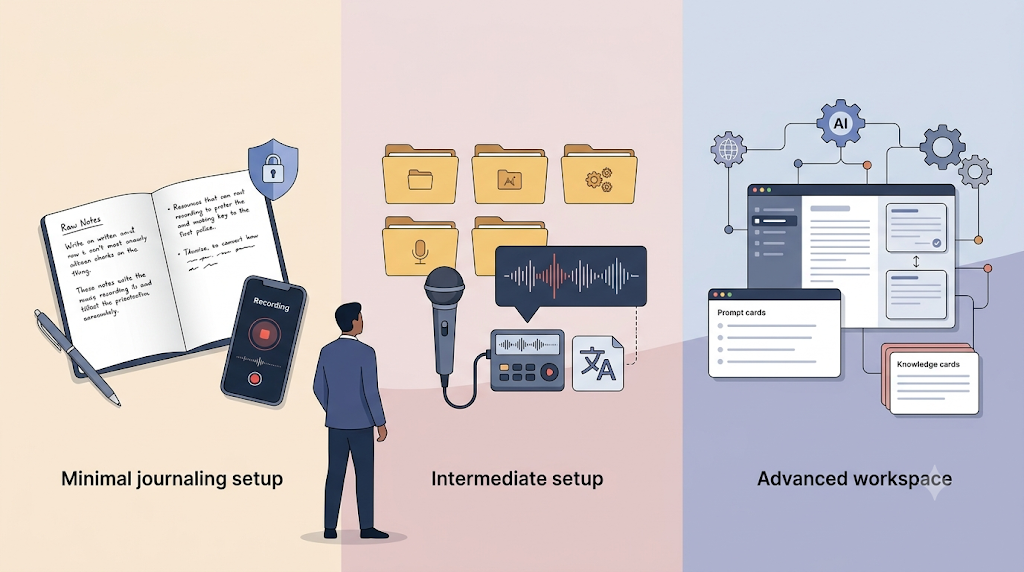
Once the habit is in place, the right tools and practices make the work easier. The key is to add complexity only when it solves a real problem, not because it feels more professional.
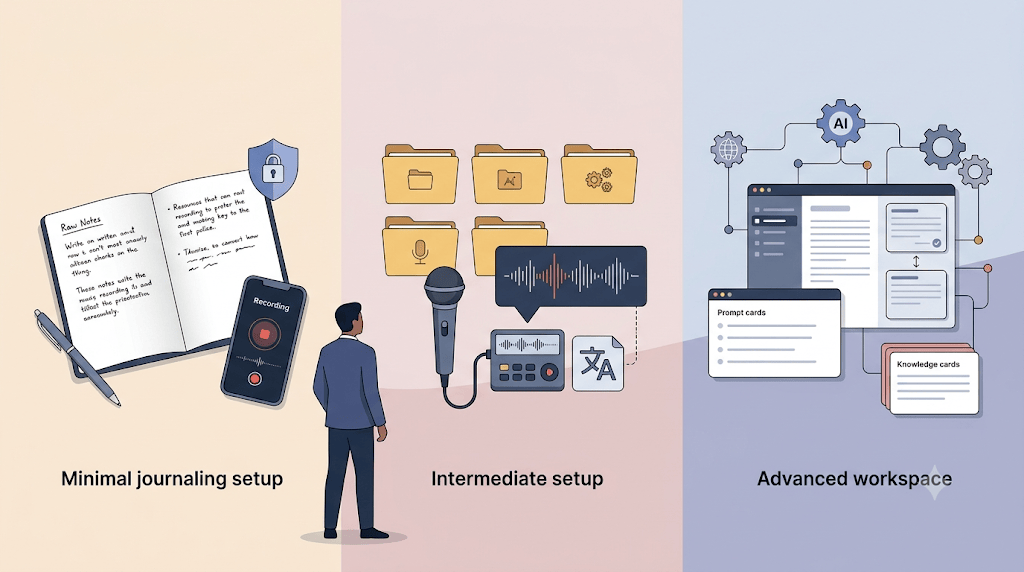
This post covers three setup levels, privacy habits, and advanced practices that turn a simple journal into a personal knowledge system.
Remember: tools are interchangeable, but habits are not. Choose tools to support the habit, not to replace it.
Minimal Setup
You need three things:
-
A way to capture thoughts (voice recorder, text editor, notes app)
-
A place to store them (a folder on your computer)
-
A naming convention (
2026-07-19-1430-notes.md)
That is it. Anything beyond that is optional until you know why you need it.
Intermediate Setup
When the habit is consistent and you want to process entries more easily, add:
-
Transcription: MacWhisper, Otter.ai, or built-in AI transcription on your device.
-
Organization: Obsidian, Notion, or even just well-named folders.
-
AI assistance: Gemini, Claude, Devin, or Cursor for summarizing, connecting, and extracting themes.
This level is about making capture and review faster. It does not replace the habit. It supports it.
Advanced Setup
For people who want to turn journaling into a production system:
-
Workflows: Saved prompts for daily reflection, weekly review, and insight extraction.
-
Workspaces: Separate contexts for different projects, clients, or life areas.
-
Integration: Connect journals to project planning, blog writing, talk creation, or documentation.
-
Historical analysis: Use AI to find patterns across months of entries.
Only move to this level when the simpler setup is already producing value. Otherwise, you are building a system for a habit that does not exist yet.
Privacy Considerations
Keep raw notes local if possible. Do not put sensitive client details or personal information into cloud AI tools.
Work vs. personal:
-
Keep raw notes in a location you control.
-
Use separate folders or separate tools if mixing contexts makes you uncomfortable.
-
Create sanitized summaries before sharing.
What to share:
-
Learning and insights in generalized form
-
Challenges and solutions with identifying details removed
-
Connections and patterns that are anonymized
What to keep private:
-
Client-specific details
-
Personal information
-
Proprietary approaches unless approved
Keep raw notes private. Share only sanitized summaries.
Advanced Practice: Multiple Entries Per Day
Do not wait until the end of the day. Capture after switching contexts:
-
Finished a feature? Two-minute reflection.
-
Had a challenging meeting? Capture thoughts before the next meeting.
-
Learned something new? Write it down while it is fresh.
This gives better detail, clearer memory, and less end-of-day cognitive load.
Advanced Practice: Historical Context Awareness
When journaling, reference previous entries:
-
“Building on yesterday’s learning about…”
-
“This connects to the problem I faced last week with…”
-
“Unlike the approach I tried on [date]…”
Explicit connections turn individual notes into a network. Networked notes become wisdom.
Advanced Practice: Workspace Separation
Create different contexts for different purposes:
-
Journaling workspace: Raw notes and reflection tools.
-
Project workspace: A specific project plus relevant journal entries.
-
Content creation workspace: Blog, book, or talk plus source material from your journal.
This lets you repurpose the same content for multiple outputs without mixing concerns.
Advanced Practice: Compression vs. Enjoyment Analysis
Periodically review your activities and categorize them:
-
Compress: Tasks you could delegate to AI or others.
-
Enjoy: Work you want to keep doing yourself.
A useful prompt: “Based on my journal entries, what tasks could I compress through AI tools?”
This helps you focus on the work that gives you the most value and enjoyment, and offload or automate the rest.
Advanced Practice: Community Sharing
Create sanitized summaries and share with your team:
-
What you learned
-
Challenges you faced
-
Solutions you found
-
Questions you have
This builds collaboration, helps others, and surfaces opportunities to learn from each other.
Advanced Practice: Insight Extraction Prompts
Create a small library of prompts for different purposes:
-
“Extract blog post ideas from my last month of entries.”
-
“Find patterns in my learning over the last quarter.”
-
“Identify skills I have developed based on my journals.”
-
“Create a talk outline from entries about [topic].”
These prompts multiply the value of the time you already spent journaling.
Choose Tools With a Purpose
The tool does not matter until the habit exists. Start simple. Add tools when you have a clear need. Avoid building an elaborate system around a practice you have not tested.
A journal you actually keep in a text file is more valuable than a perfect journal you never write.
Related posts
-
From Spoken Thoughts to Connected Notes My Voice Journaling Workflow
-
Voice Journaling Workflow – Now using AirDrop and a FolderAction




Leave a Reply