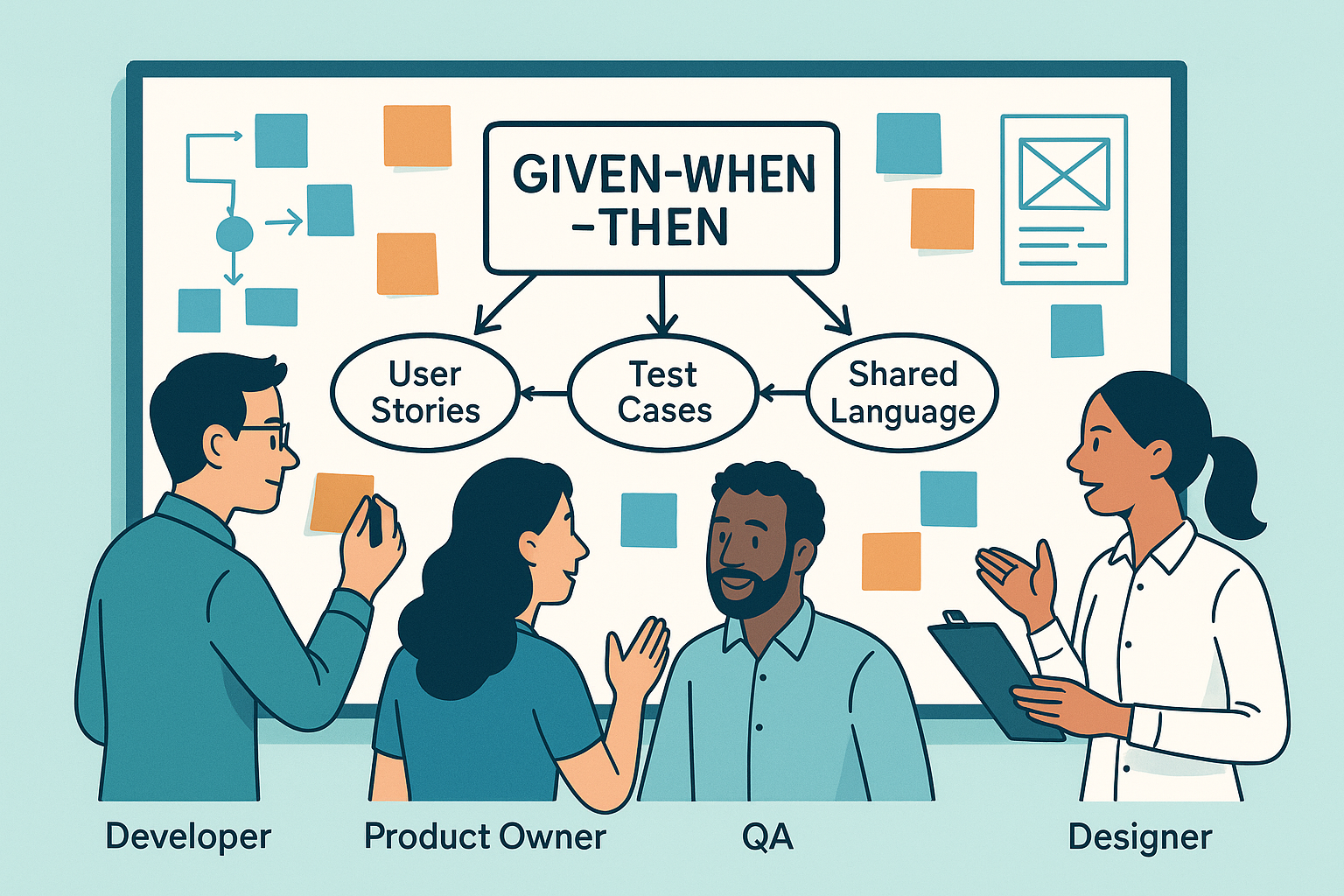
Writing Given-When-Then (GWT) scenarios can sometimes feel like extra work. In particular, doing it during meetings, such as sprint planning or backlog refinement, often feels tedious.
But it doesn’t have to be that way.
Why Write GWTs?
Before we worry about friction, it’s worth reminding ourselves of the value:
- GWTs clarify expectations.
- They create shared understanding.
- They support collaboration across roles.
- They provide a foundation for automated tests.
The goal is not just documentation—it’s better conversations and alignment.
Who Writes GWTs?
There isn’t one right answer. Different roles can contribute:
- Product Owners can draft them as part of user stories.
- Business Analysts can prepare them to support discovery.
- UX Designers can contribute when scenarios involve user interactions.
- QA can work ahead of the team to define acceptance criteria.
- Developers can write them to clarify expectations and drive automation.
Quick side note: QA is part of the “developers” accountability in Scrum. For this post, I’m referring to QA as the team members primarily responsible for Quality Assurance, and Developers as those implementing the application that gets deployed. They all work together!
On many teams I’ve worked with, developers were the most experienced with GWTs and coached others. I’ve also seen QA take the lead, which worked well. I’ve even seen Product Owners attempt it, but struggle when the rest of the team doesn’t know how to use them effectively.
Common challenges:
- POs may write GWTs, but developers don’t use them because they don’t know how to automate them.
- Developers may write GWTs but keep them internal, leaving POs unaware of their value.
The solution: conversation and collaboration. When different team members contribute, the burden doesn’t fall on just one person, and the team develops a richer shared language.
When Are GWTs Written?
That depends on who’s writing them and how the team works.
- Ahead of sprints: POs or BAs can draft GWTs before sprint planning. But not too far ahead—understanding evolves as the team works together.
- During refinement: Teams can review and adjust existing GWTs. Reading too many detailed scenarios in a meeting usually backfires; it’s better to come prepared.
- During sprint work: QA or developers can refine or add scenarios as they discover new details. These should be surfaced with the team and PO to adjust the scope if needed.
- During tasking: Some teams time-box writing sessions where pairs or small groups draft scenarios, then review them together to find gaps.
The key is flexibility. GWTs don’t have to be written at a single point in time or by a single role.
How to Write Them
Some practices that have worked well for me:
- Ensure every story has a clear purpose. (Why user stories need purpose)
- Refine stories as needed. (Refining stories)
- Clarify the broader context. (Cinematic user stories)
- Remember: user stories are for everybody. (User stories are for everybody)
A Practical Flow
- Start the acceptance criteria with “demonstrate that…”, followed by a concise bulleted list of what stakeholders expect to see.
- Expand the list into named scenarios, starting with the happy path.
- Write detailed GWTs for each scenario.
💡 Hint: Today, AI can help generate GWTs with minimal effort. Use it as a drafting tool, then refine collaboratively.
Avoiding Potential Friction
One real source of friction is overly prescriptive GWTs. These take too long to write, are brittle, and limit creativity.
Don’t:
Given that the database is loaded with books by Stephen King
When I visit “products/books”
   and I type “Cujo” in the search textbox
   and I click on the Search button
Then the page shows the results in a table
When I click the Add button on a book
Then the shopping cart label shows “1”
Do:
Given books by Stephen King are available
When I search for any of those books
Then I can add any book from the list to my shopping cart
The second version focuses on outcomes, not implementation details. It’s easier to understand, easier to maintain, and still testable.
Final Thoughts
Writing GWTs doesn’t have to generate friction. With the right mix of roles contributing, timing that fits the team’s process, and a focus on outcomes instead of prescriptions, GWTs can:
- Strengthen conversations.
- Build shared understanding.
- Guide meaningful tests.
And ultimately, they make software development smoother, not harder.


Leave a Reply