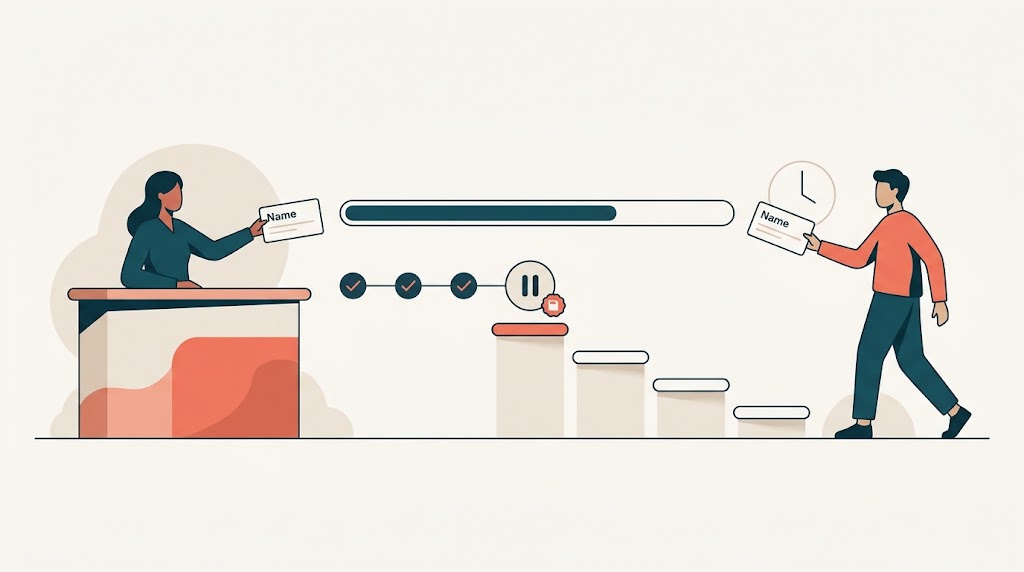
Years ago I worked on a scheduling system for a doctor’s office that treated celebrities in Brazil. The receptionist would answer the phone and hear something like, “This is Ronaldinho” (or whatever famous soccer player at the time). Not a date of birth, insurance number, or driver’s license. Just the name the caller was willing to give.
Older software would have stopped the booking right there: last name required, legal name required, ID required. The office did not work that way. The receptionist typed the name she was given, found a slot, and moved on. When the patient showed up, the front desk asked for a valid ID. If he did not have one, there was a process: check him in, flag the missing ID, and do not let him leave or get results until it was resolved. The system took what the caller had and figured out the rest later.
That is the whole idea. Users rarely have all the answers the moment we ask. Build workflows that accept progress and resume later.
Adjust Timing, Not Just Language
The right words help. Labels, sentences, and business terms beat database verbs. But language is only half the conversation. We also have to adjust the amount and timing of the data we ask for.
A screen can be clear and still fail if it asks for everything at once. Clarity is not enough.
Wizards That Don’t Punish
I’ve worked on customer onboarding processes with several steps. Before a customer could go live, the system needed tax IDs, addresses, contacts, credit terms, and more. If we had blocked them at every step until every field was perfect, the process would have died. People get pulled into meetings. Documents are on another desk. The person who has the answer is out until tomorrow.
So we built a wizard that let users enter whatever they had, even if some of it was wrong or incomplete.
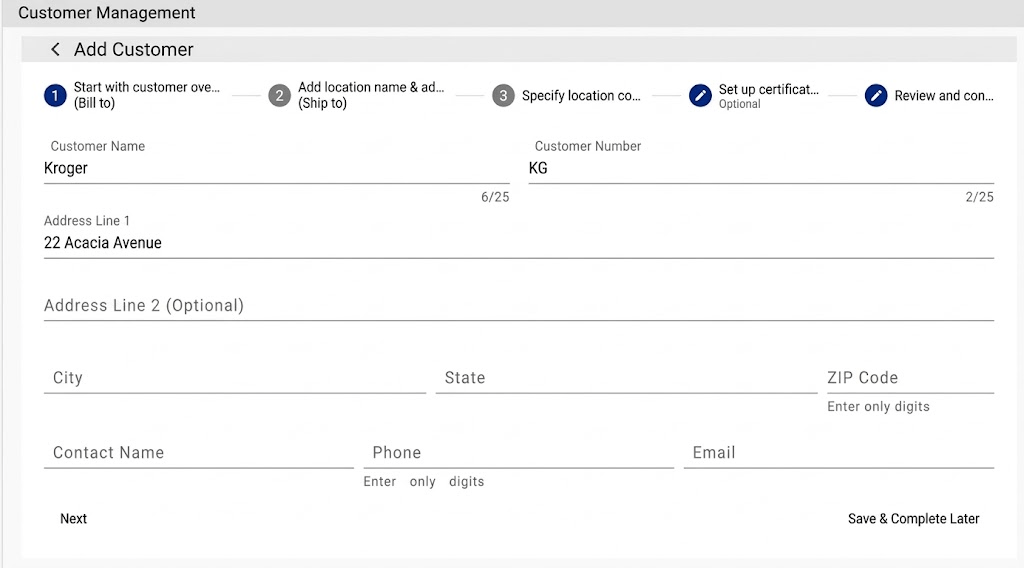
At the end, a review screen listed the missing or invalid data.

They could save the whole thing and complete it later. No session timeout destroyed their work. If someone got pulled away, a supervisor could reassign the incomplete task to another user without throwing away what was already entered. Storage is cheap. User time is not.
Saving a draft is not the same as lowering standards. The customer still does not go live until the data is good. The form only has to be savable, not valid on every keystroke.
Let the Work Change Hands
Reassigning an incomplete task is a small feature that changes how you think about the system. Instead of locking a form to a session, model the work as a task with state, an assignee, and a history. The data the first person entered stays put. The second person picks up exactly where the first one left off.
That means the schema has to know about drafts, statuses, and ownership. The API has to allow saving without validating everything. The UI has to show what is missing instead of only what is wrong.
The Information the Worker Actually Has
A warehouse lot-adjustment flow shows the same idea. A worker walks the floor, people yelling across the aisle, and a tablet in one hand. The last thing that person needs is a spreadsheet showing quantity on hand, quantity available, quantity allocated, quantity due in, and several other columns of numbers.
We asked the workers what situations made them change the count. The answers were simple:
- A box of bananas arrived damaged, so we need to decrease the lot by one box.
- Someone found an extra box behind the counter, so we need to increase the lot by one box.
- We counted what is physically on the shelf and we have five, so just set it to five.
That is the information they have. They should not have to do math while a forklift is backing up behind them.
So the UI gave them three choices: Increase by, Decrease by, and Adjust to. Each option asks for the one number the worker already knows, a reason like damaged, spoiled, or product found, and an optional comment. Four fields. One task. Done.
The worker brings what they know. The system calculates the rest.

Save the Partial Truth
Partial input shapes the data model and the validation strategy. In the onboarding wizard, an incomplete customer record is not an “invalid customer.” It is a saved draft. On the backend, you can represent it as a command or workflow state that can stay incomplete until the final review. You validate the whole command only when the user is ready to finish, not on every keystroke.
This also means thinking about whose job it is to collect what. The phone staff collects the name and the appointment. The front desk collects ID at check-in. Billing collects insurance later. Each person has different information at hand. The software should not demand it all at once.
Usefulness Has to Live in the Code
The software accepts “Ronaldinho” as a name. It saves an incomplete customer. It takes the number the worker has. That is usefulness, and it has to be built into the model, the API, and the validation rules.
Guessing is the trap. We guess why a worker changes a count and ship a spreadsheet. We ignore why onboarding stalls and build a gate. We miss what the office collects at each step and build a form that rejects “Ronaldinho.”
Useful software makes the most of whatever people bring.
Start with a story that asks why people cannot give every answer right now. Once you ask that, design the API, the schema, and the tests around progress instead of perfection. A good story becomes a Given-When-Then test, a task-based model, and clean code on both sides of the stack. That is how we take what users have and make software pretty useful.



Leave a Reply