
Interop sounds like a bridge between systems. A client had roughly a thousand FoxPro forms and did not want to rewrite any of them. They tried .NET Interop. It hurt.
The plan that looked reasonable
The application was large. Every form had logic buried in its events: enable-disable logic, validation logic, calculations that fired when a user typed, conditions that changed field colors, and rules that cascaded from one control to another. The client wanted a new .NET front end, but they were convinced the business logic in those FoxPro forms was too valuable and too tangled to reproduce. They had heard about .NET Interop, which lets .NET code call into FoxPro code. Their plan was elegant at first glance.
They would build a .NET WinForms UI. When the user typed something into a text box, the .NET form would call the FoxPro form’s code through Interop, run the validation or calculation, and return the result. The user saw a modern interface. The old logic stayed where it was. Nobody had to rewrite a thousand forms.
They showed me the prototype. The user typed a character. The application froze. About five seconds per keystroke, the result came back.
Why it was slow
They were invoking a FoxPro form on every keystroke. That form expected to be on a screen: load the form, run the event code, read the changed value, tear down enough to return.
The .NET UI was pretending to be a keyboard for a FoxPro dialog. Each character paid the price of instantiating and disposing visual assets that were never meant to be used headlessly.
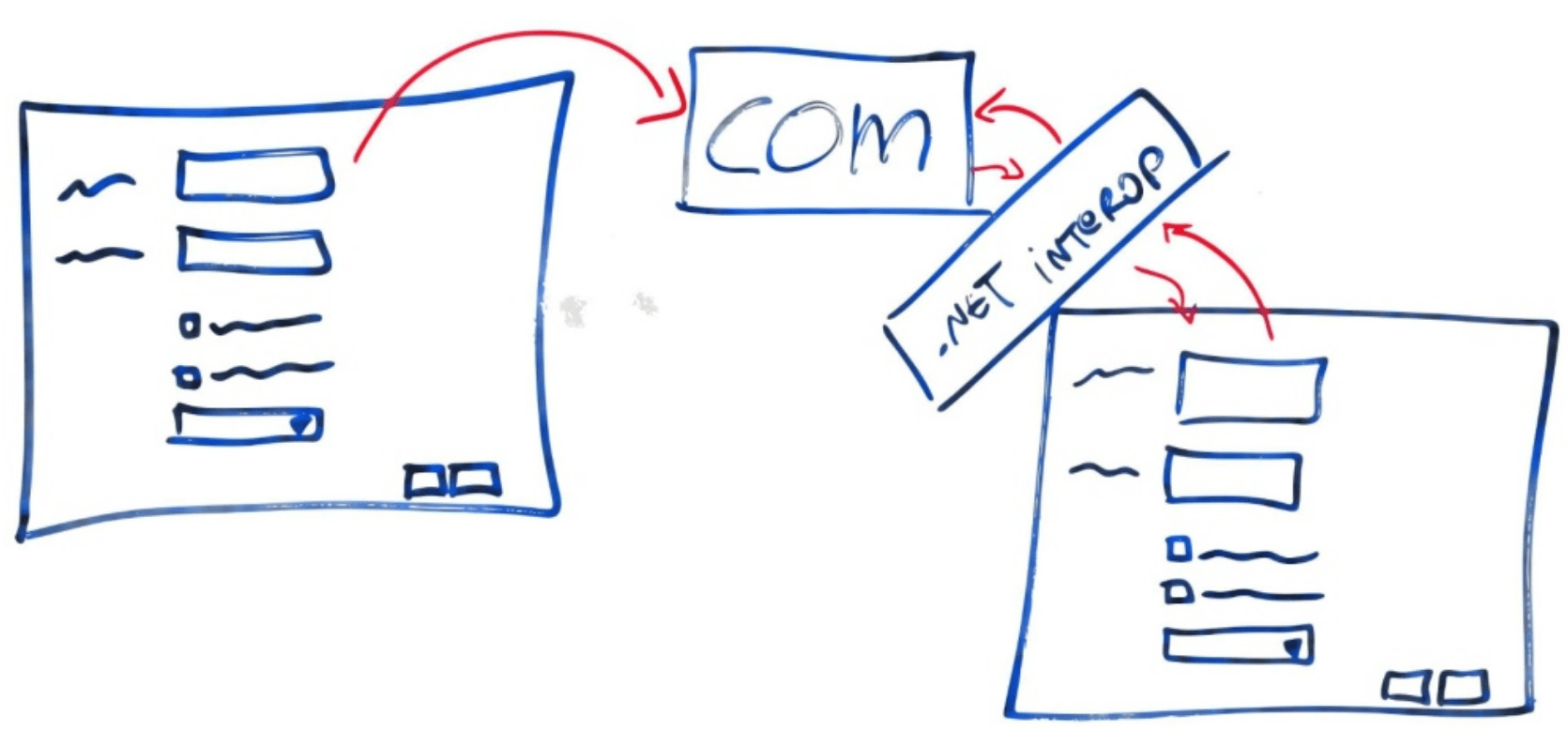
Interop is fine when the boundary is clean. If you have a well-defined function that computes a price, validates a rule, or reads data, you can call it from .NET and get an answer quickly. A form is a user interface with assumptions about state, controls, focus, and sequence. Pull the logic out and treat it like a function, and the form stops working.
Business logic had leaked into the wrong place
The deeper problem was that the enable-disable, validation, and formatting logic had never been separated from the presentation. Over years of maintenance, the FoxPro forms had become the system. The business rules lived in Valid methods and Click events. There was no layer behind the form to call. The client was trying to move to .NET without rebuilding the real architecture.
I wrote about this problem in a more modern form in The Recipe Pattern Part 1: Why I Stopped Writing Validation Rules in the Frontend. When business rules live in the UI, every future UI has to rebuild them, and they drift between implementations. The FoxPro project was the original wound that taught me that lesson. The .NET form was about to inherit all the same pain.
In The Recipe Pattern Part 2: What the Frontend Does with the Rules, I describe how a frontend can stay dumb while still giving immediate feedback. The backend describes the rules. The frontend reads them and applies them. The rules live in one place. If this client had built that boundary in FoxPro, they could have moved to .NET one screen at a time without carrying the visual baggage.
A better bridge
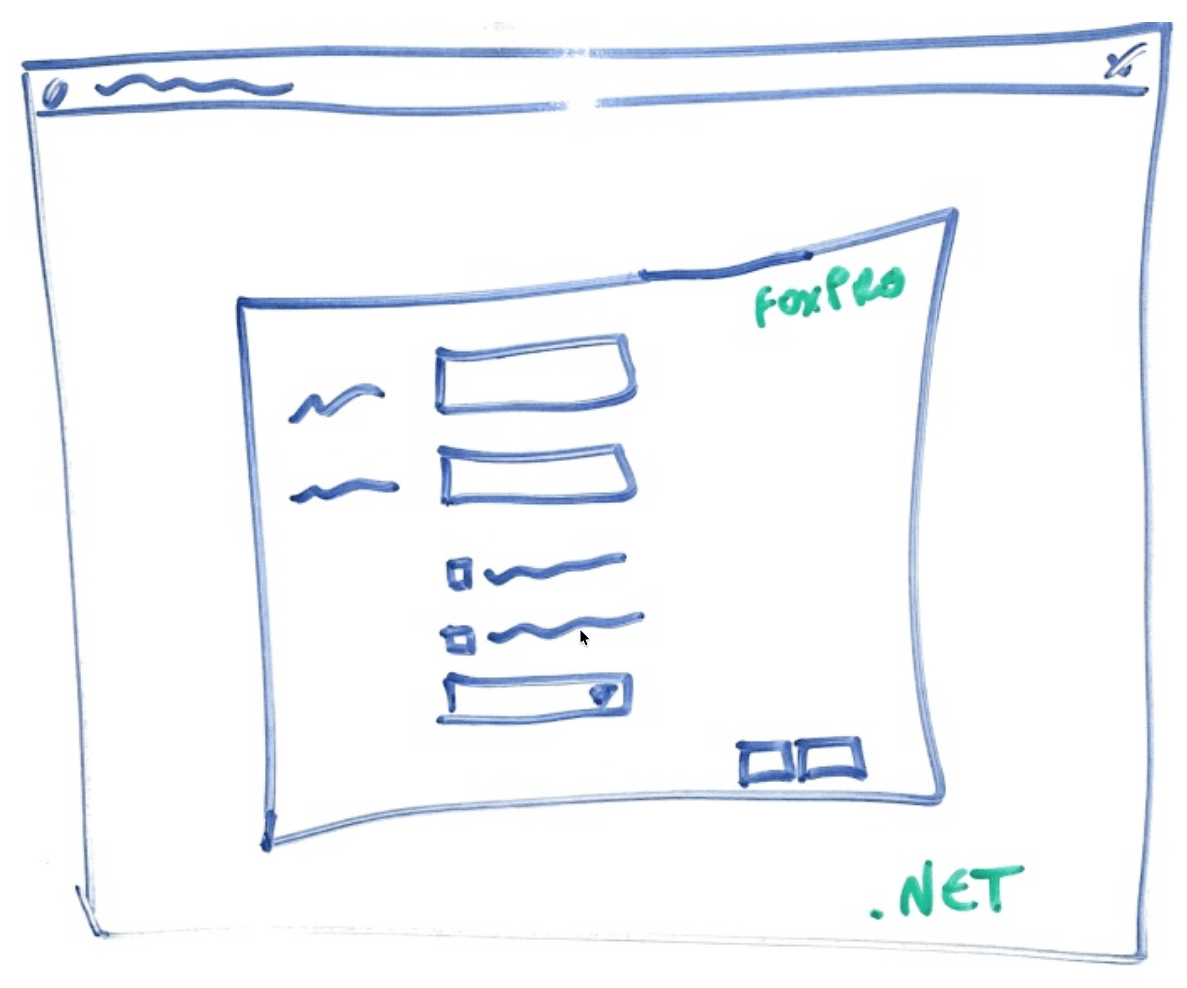
I showed them two alternatives. The first was the simplest: host the old FoxPro CRUD screens inside a new .NET shell. It would look like a hybrid, and it would be a hybrid, but only as a temporary phase. The critical parts of the application could be rebuilt while the routine data-entry screens kept working. The users got one place to log in. The developers did not have to solve the impossible problem of making FoxPro UI code respond at the speed of .NET events.
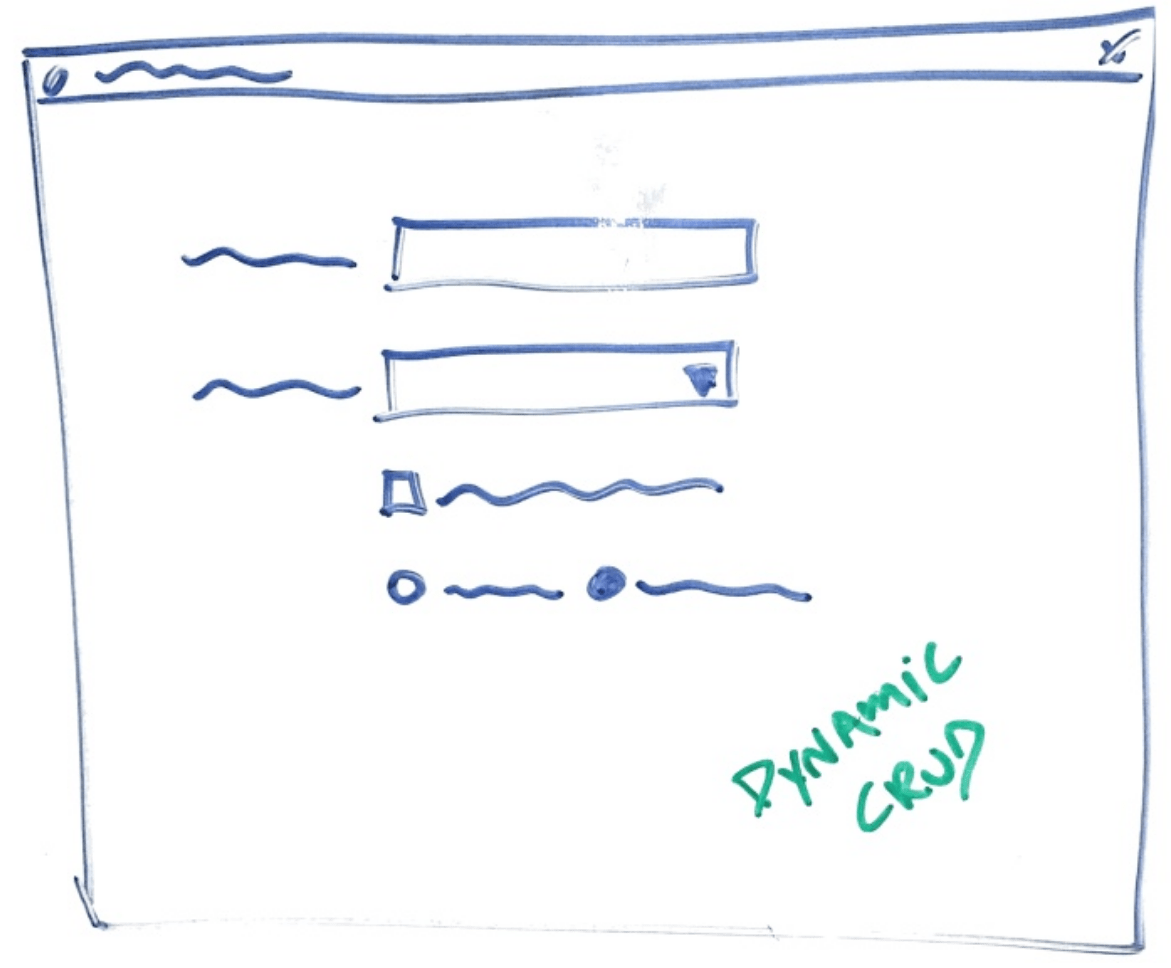
The second alternative was to stop treating CRUD screens as special. If you know what fields you need to collect and what types they are, you can generate the screen from metadata. A text box for a string. A checkbox for a boolean. A dropdown when the values come from a list. The user still gets a usable form. The system gets one place to change when the data model evolves. I demonstrated it in a meeting: a class describing a screen, a few minutes of code, and a working UI.
Several of their “report” screens were for searching CRUD data. My demo included dynamic search screens, too.
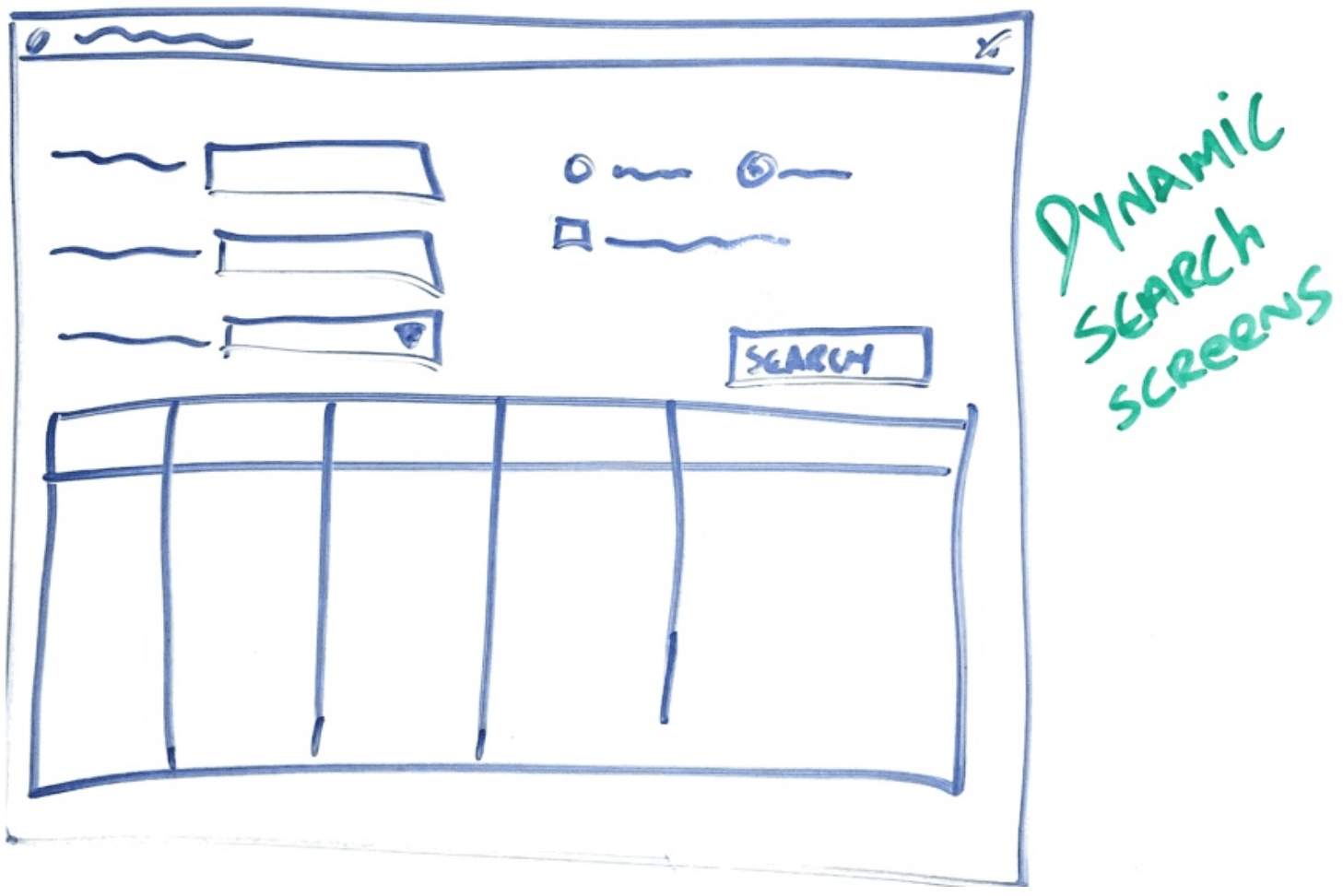
This was another example of eliminating hundreds of screens — the same idea I explore in 500 Screens, One Idea: What Users Actually Need.
That demo worked because the logic was out of the UI. Once the screen is just a rendering of metadata, the screen is replaceable.
The lesson
This project taught me the same lesson I keep writing about in the AI era. In From Conversation to Code, I describe how AI can help implement a feature once the intent is clear. But the intent has to be separated from the mechanism first. In the FoxPro project, the client could not separate the intent from the mechanism because the two had fused in a thousand forms. Their business rules were tangled inside the UI.
Technology does not fix that. Only architecture does.
Make the UI as dumb as possible. Let it know how to render and how to collect input. Let the backend own the rules, the calculations, and the validation. If the rules are behind a clean interface, the UI can be replaced whenever a new framework comes along. If the rules are inside the UI, every new framework becomes a rewrite of the business.
Interop is fine for calling clean boundaries. It is the wrong tool for invoking a UI. When the boundary is a form, Interop only shows that the architecture needs to change.
This is a post in the series “The Software Does Not Work – Rewrite It: Lessons from Two Decades of Replacing Legacy Software.”
- The Software Does Not Work – Should We Rewrite It?
- The Floppy Disk Handoff: When the Source Code Lies to You
- A 24/7 Operation: The Rewrite That Didn’t Need to Stop the World
- 500 Screens, One Idea: What Users Actually Need
- There Is No Domain (Yes, There Is): Pipeline Inspections and the Dynamic App
- Why Calling FoxPro Forms from .NET Hurts – This post
- When Silverlight Died, We Didn’t: The Thin UI Bet
- Excel in the Browser: A Rewrite That Never Launched
- A Year and a Half Without a Database
- What I Still Believe About Software Rewrites




Leave a Reply