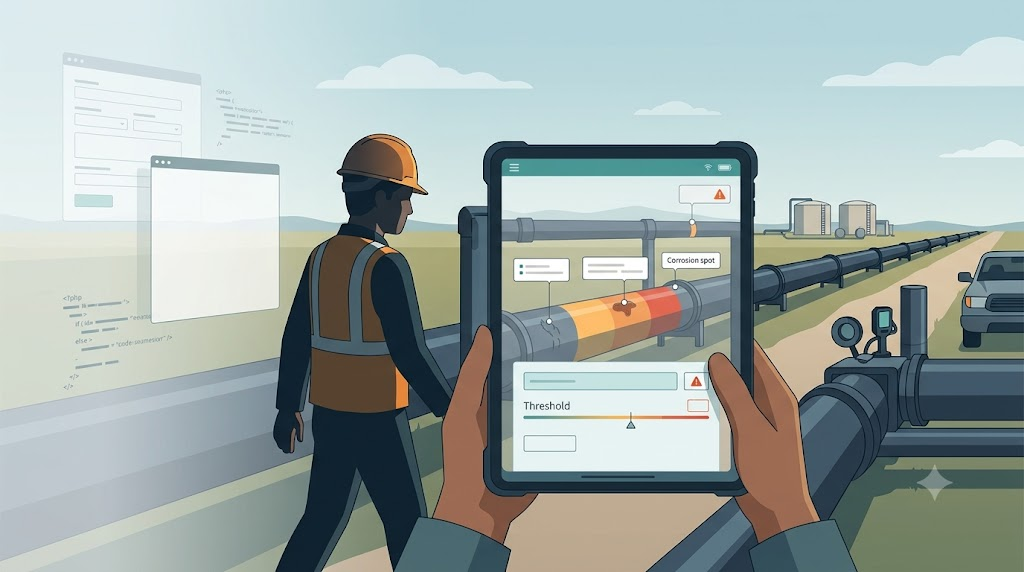
One of the hardest conversations in any rewrite is also the most important. It starts with a simple question: “What is your domain?”
Most clients can answer it. Some can’t. A few get defensive. I once had a team tell me there was no domain at all.
“There is no domain”
We were brought in to help rewrite a system for companies that inspected pipelines. The software was written in FoxPro, and the client’s team had built an impressive amount of flexibility into it. Users could create tables at runtime. They could add columns, build forms, write expressions, and generate reports without a developer. To the FoxPro team, this meant the application had no fixed domain. The users could make it anything. Even the project manager believed that.
The client also made the project harder by limiting our access. We were not allowed to talk to inspectors, managers, or stakeholders. We had to go through the FoxPro developers, who were proud of their work and ready to prove that .NET would struggle to match what FoxPro could do. It became a technology competition rather than a business conversation.
So I asked the question I learned to ask in such situations: “If there is no domain, can we take your software as-is and install it at Walmart or Starbucks so they can run their business on it?”
They paused. “No. This is for pipeline inspections.”
“Then there is a domain.”
The domain hiding in plain sight
Once we broke through, the real domain became obvious. Inspectors walked pipelines that carried fuel, chemicals, and other substances. They checked for leaks, corrosion, and anything that could compromise the pipe. They recorded numbers. The system compared those numbers against thresholds and flagged dangerous conditions. That was the core domain. Everything else was decoration around it.
The customization was real, but it was constrained. Different customers needed to track different attributes for different pipe materials, products, and environments. Some needed extra measurements. Some needed different threshold rules. Some needed their own alert conditions. But those variations all lived inside the same domain. The pipes existed. The inspections existed. The thresholds existed. The business did not hand users a blank canvas and ask them to invent a product from scratch.
That distinction changed the conversation. We started modeling what was actually variable instead of trying to model “anything the user can dream up”.
Strongly typed core, flexible edges
We split the system into two parts. The core domain was fixed: pipelines, inspections, measurements, thresholds, alerts. That part could be strongly typed. It had real business rules. It could be reasoned about, tested, and documented.
The variable part was the configuration: which attributes this customer tracks, which thresholds matter for this type of pipe, and what color the screen shows when a measurement is outside the safe range. Those things needed to be dynamic, but they were dynamic inside boundaries that the domain defined.
I have asked the “Walmart or Starbucks?” question many times. I first wrote about it in There Is No Domain!! a decade ago, and I am still using it. The answer is almost always the same. There is always a domain. The only question is whether the team is willing to name it.
The dynamic part: a decorator, not a rewrite of the language
The variable configuration had to show up in the UI without turning every screen into a custom build. Different customers tracked different attributes, thresholds, and alert conditions, so the forms had to change. But we did not want to let that variability leak back into the core ViewModels.
I used a DynamicDtoDecorator that wrapped plain C# ViewModels and used the dynamic keyword to intercept property access at runtime. The ViewModels stayed simple: just properties with getters and setters, no INotifyPropertyChanged boilerplate. The decorator added the notification behavior and, when needed, injected visual properties like Measurement_Background so the UI could change color based on a threshold. The rules came from the database, which meant a customer could define a new alert color or a threshold without a code change.
This was the same kind of flexibility the FoxPro team had built, but scoped. The domain decided what could vary; the decorator handled how it appeared. I wrote about the approach at the time in a series of posts: Part 1, Part 2, Part 3, Part 4, Part 5, Enhancing ViewModels with a Dynamic Decorator, and Adding visual behavior to dynamic view models. The sample code is also on GitHub at claudiolassala/dynamic-decorator.
The point was not to be clever. The point was to keep the core model honest while still letting the edges breathe.
What the FoxPro team was really proud of
The FoxPro developers wanted to show us how hard their dynamic features were to build. They had built form designers, expression engines, and runtime code generation in a language that made those things painful. I respected the skill. The point was whether those features served the business, not the technology itself.
Some of the dynamic capabilities were important. Most were not used the way the developers imagined. We spent months on features that users treated as nice-to-haves. That happened because we were talking to the wrong people. The moment another project manager got in front of actual users, the priorities changed.
This is the trap of building software without domain contact. Developers fall in love with the cleverness of their own code. Stakeholders fall in love with the promise of infinite flexibility. Meanwhile, the actual business problem sits quietly in the corner, waiting for someone to notice it.
Domain discovery is still the work
In recent years, I have been using AI to speed up the discovery work. In What Looks Like CRUD Is Often a Workflow, I described how starting from human-facing business documentation instead of the codebase can expose the real domain beneath a generic-looking screen. The AI helps map commands, events, and aggregates. But the human still has to supply the “why.”
That is also the point of Finding the Story Before Writing the Code. AI can trace code paths, identify dead code, and generate documentation. What it cannot do is decide what the system exists to do. That decision is the domain. It is the part of the work that cannot be delegated.
The lesson
The company with the pipeline inspection system had a domain so well hidden that they had started building software against a fantasy of total generality. The result was a system that could do almost anything and yet struggled to do the one thing it was for.
A rewrite is a chance to rediscover what the software is for. That rediscovery is a conversation, not a technical task. Talk to the people who use the system. Look at the work they actually do. Ask them what they would do if the software went away tomorrow. The answer is the domain.
There is always a domain.
This is a post in the series “The Software Does Not Work – Rewrite It: Lessons from Two Decades of Replacing Legacy Software.”
- The Software Does Not Work – Should We Rewrite It?
- The Floppy Disk Handoff: When the Source Code Lies to You
- A 24/7 Operation: The Rewrite That Didn’t Need to Stop the World
- 500 Screens, One Idea: What Users Actually Need
- There Is No Domain (Yes, There Is): Pipeline Inspections and the Dynamic App – This post
- Why Calling FoxPro Forms from .NET Hurts
- When Silverlight Died, We Didn’t: The Thin UI Bet
- Excel in the Browser: A Rewrite That Never Launched
- A Year and a Half Without a Database
- What I Still Believe About Software Rewrites



Leave a Reply